QR
Upload from a phone
Guests scan the QR code and choose photos from their phone. They do not need to install an app.
Like disposable cameras on wedding tables, but guests use their own phones. Put a QR card on each table and collect their photos in a private gallery.
Unlike physical disposable cameras, there is no waiting for development, no photos lost, and no need to collect anything. Every shot goes directly to your gallery in seconds.
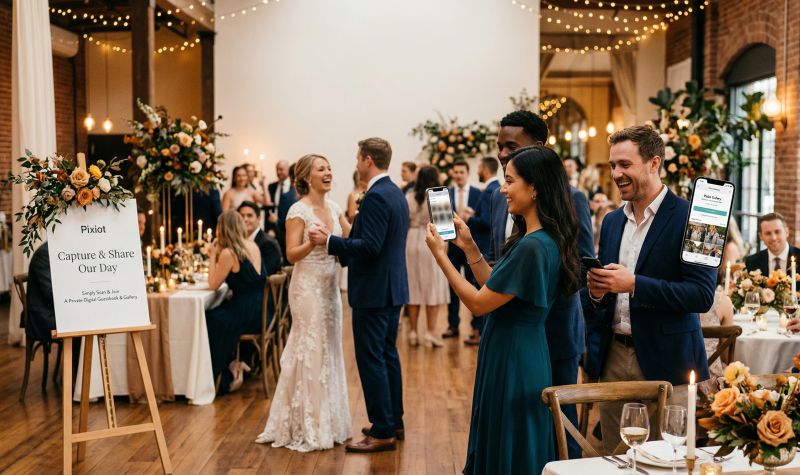
Give guests a place to share the photos they take. A QR code connects their phones to your event gallery.
Guests scan the QR code and choose photos from their phone. They do not need to install an app.
Each guest can add the photos they took, alongside the pictures from your photographer.
Keep the uploads together so you can browse and download them after the event.
Create the gallery before the event, then give guests its upload link or QR code.
Set up a private Pixiot gallery for your event.
Put the gallery QR code on table cards, signs, or a screen at the venue.
Guests upload from their phones. Browse the gallery during the event or download the photos afterwards.
The idea behind disposable cameras on tables was genius: put a camera in front of every guest and capture the unposed, spontaneous side of the wedding. The problem was always logistics — collecting cameras, waiting for development, hoping the shots turned out.
Pixiot recreates the disposable camera experience digitally. Every guest already has a camera in their pocket. The QR code on the table is the invitation to use it. They scan, snap, and upload — and the photos land in your gallery instantly.
You see the candid shots filling in throughout the day, not three weeks after the honeymoon.
With physical cameras, a third of the shots are usually dark, blurry, or pointed at the ceiling. With Pixiot, guests choose which photos to share, so what arrives in your gallery is the best of what they captured.
The disposable camera analogy explains itself. Guests understand the game immediately: scan the code on the table and share your photos from the wedding. No instructions needed.
This is a strong fit for organizers who want more participation, cleaner collection, and less post-event chaos.
The more people involved, the more valuable simplicity becomes.
A central gallery gives you a fuller story of the event.
Every table becomes a perspective. The result is a gallery full of candid moments you couldn't have planned.
Common questions about using Pixiot as a digital disposable camera at your wedding.
They scan the QR code or open the gallery link on their phone, then follow the upload steps in their browser.
Put it where guests will see it: on table cards, near the entrance, or on a screen at the venue.
No. They can upload through the browser on their phone.
Yes. Photos are collected in your private Pixiot gallery.
Launch a private gallery, make access obvious, and collect stronger memories with a path people will actually use.